


 You have successfully registered



AutoCAD Masterclass – Beginner to Advanced
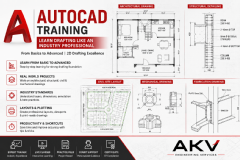
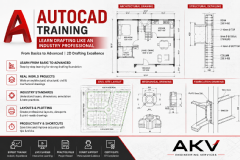
Become Job-Ready with Complete AutoCAD Training
Whether you're a student, diploma holder, engineer, architect, or working professional, this course is designed to take you from the fundamentals of AutoCAD to advanced drafting techniques. No prior experience is required.
What You Will Learn
Module 1: AutoCAD Basics
- Introduction to AutoCAD
- User Interface & Workspace
- Drawing Setup (Units, Limits, Grid, Snap)
- Coordinate Systems (Absolute, Relative, Polar)
- Navigation (Zoom, Pan)
Module 2: Drawing Commands
- Line, Polyline, Circle, Arc
- Rectangle, Polygon, Ellipse
- Hatch & Gradient
- Construction Lines
Module 3: Modify Commands
- Move, Copy, Rotate
- Mirror, Offset, Scale
- Trim, Extend
- Fillet, Chamfer
- Stretch, Array, Explode
- Break, Join
Module 4: Precision Drafting
- Object Snap (OSNAP)
- Polar Tracking
- Object Tracking
- Dynamic Input
- Selection Methods
Module 5: Annotation
- Text & Multiline Text
- Dimensions
- Dimension Styles
- Leaders & Tables
Module 6: Layers & Blocks
- Layer Management
- Line Types & Properties
- Creating and Editing Blocks
- Dynamic Blocks (Introduction)
- External References (XREF)
Module 7: Layout & Printing
- Paper Space & Model Space
- Viewports
- Plot Styles
- PDF Export
- Professional Drawing Setup
Module 8: Real-Time Projects
- Residential Floor Plans
- Mechanical Drawings
- Electrical Layouts
- Fire Protection Drafting Basics
- Industry Drawing Standards
Course Features
- Beginner-friendly teaching approach
- 100% Practical & Hands-on Training
- Real-world drawing exercises
- Shortcut keys and productivity tips
- Doubt-clearing sessions
- Practice files provided
- Certificate of Completion
- Lifetime guidance and career support
Who Can Join?
- Engineering Students
- Diploma Students
- Architects
- Interior Designers
- Mechanical, Civil & MEP Engineers
- Anyone interested in learning AutoCAD
By the end of this course, you will be able to create professional 2D drawings confidently and be prepared for real industry drafting work. The curriculum follows a logical progression from interface and drawing tools to layers, annotation, layouts, and project-based practice, which is widely recommended for effective AutoCAD training.

 View this Course

 Top Tutor



 Certified




