



 You have successfully registered


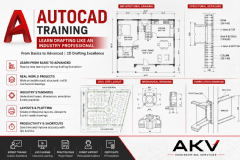
AutoCAD is a powerful computer-aided design (CAD) software developed by Autodesk, widely used by professionals in architecture, engineering, construction, and product design industries. This software enables users to create precise 2D and 3D drawings with extreme accuracy (up to 14 decimal points). Whether you're pursuing a career in architecture, civil engineering, mechanical engineering, or product design, understanding AutoCAD fundamentals is essential.
This study guide covers the essential concepts, tools, and techniques you need to begin working with AutoCAD effectively.
Understanding the AutoCAD Interface
Fundamental Concepts
Essential Drawing Commands
Editing and Modifying Commands
Drawing Organization
AutoCAD mastery develops through consistent practice. Start with 2D basics, understand the coordinate system, and practice the fundamental commands covered in this guide. As you gain confidence, explore advanced features like 3D modeling, blocks, and automation.
Remember: The best way to learn AutoCAD is by doing. Open the software, follow tutorials, and create practice drawings. Each project reinforces your skills and builds confidence.
Recommended Practice Projects for Beginners
1.
Simple Floor Plan – Draw basic room layout with walls and doors
2.
Mechanical Part Drawing – Create technical drawing with dimensions
3.
Landscape Layout – Practice using layers and different shape tools
4.
Logo or Symbol Design – Combine shapes and text
5.
Architectural Elevation – Apply all learned skills in complex drawing

 View this Course
 Top Tutor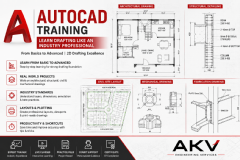




 Certified




