



 You have successfully registered


This AutoCAD Basic Version 21 class is designed for beginners, students, diploma holders, engineering students, architects, civil engineers, mechanical engineers, interior designers, and anyone interested in learning computer-aided design (CAD). No previous AutoCAD experience is required. The class is ideal for people who want to improve their technical drawing skills for academic, professional, or personal projects.
In this class, students will learn the fundamentals of AutoCAD Version 21 in a simple and practical manner. Topics include understanding the AutoCAD interface, drawing basic shapes, using commands such as Line, Circle, Move, Copy, Trim, Extend, Offset, Rotate, and Erase, working with layers, dimensioning, text creation, object snapping, and basic 2D drafting techniques. Students will also learn how to create professional drawings, manage layouts, use shortcuts, and prepare drawings for printing. Practical exercises and real project examples will help students gain confidence in using AutoCAD efficiently.
Students should bring a laptop or desktop computer with AutoCAD Version 21 installed. A mouse is recommended for easier drawing and navigation. Students may also bring a notebook and pen for taking notes during the class. Basic computer knowledge will be helpful for better understanding and practice.

 View this Course
 Top Tutor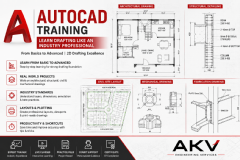



 Certified




