


 You have successfully registered

 Certified
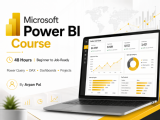
Learn Power BI, Power Query and practical data-cleaning techniques through live, hands-on training.
This course is designed for students, working professionals, MIS executives, analysts and job seekers who want to build practical data-analysis and dashboard-development skills.
The training starts with the fundamentals and gradually covers advanced reporting concepts. Students will work with real-world business datasets related to sales, finance, operations and HR.
Topics Covered
- Introduction to Power BI Desktop and its interface
- Importing data from Excel, CSV, folders and other sources
- Data cleaning using Power Query
- Removing duplicates, errors, blanks and unwanted records
- Changing data types and handling missing values
- Split, merge, append and group data
- Pivot and unpivot operations
- Combining multiple files automatically
- Creating relationships between tables
- Introduction to data modelling and star schema
- Creating calculated columns and measures
- DAX functions such as SUM, COUNT, CALCULATE, IF, SWITCH and DIVIDE
- Building KPI cards, charts, tables, matrices and slicers
- Creating interactive dashboards
- Drill-down, drill-through, filters and tooltips
- Dashboard formatting and visualisation best practices
- Publishing and sharing Power BI reports
- Practical interview questions and project guidance
What Students Will Learn
By the end of the course, students will be able to:
- Clean and transform raw business data
- Automate repetitive data-preparation activities
- Build structured Power BI data models
- Create DAX measures and business KPIs
- Develop professional and interactive dashboards
- Analyse sales, finance, HR and operational data
- Create an end-to-end Power BI project for their resume or portfolio
Course Features
- Live instructor-led classes
- Practical exercises during every session
- Real-world datasets and business scenarios
- Assignments and practice files
- Doubt-clearing support
- Interview preparation
- Resume and project guidance
- One complete dashboard project
Who Can Join?
- Beginners with no Power BI experience
- Students and fresh graduates
- MIS and reporting professionals
- Data and business analyst aspirants
- Finance, sales, HR and operations professionals
- Excel users who want to move into data analytics
Prerequisites
Basic knowledge of Excel is helpful but not compulsory. No programming experience is required.


 View this Course



 Top Tutor


 Certified




