


 You have successfully registered

MS Excel Basics – Practical & Job-Ready
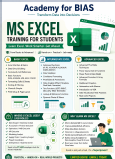
This is a 15-hour practical MS Excel course designed to build a strong foundation in Excel for students and beginners. The training can be scheduled across one or two calendar weeks based on learner requirements.
The course focuses on hands-on practice, practical exercises and real-world datasets, rather than learning Excel features in isolation.
Course Modules
1. Introduction to Excel Basics
Excel interface, navigation, worksheets, workbooks and the relevance of Excel in data analysis.
2. Working with Data and Formulas
SUM, AVERAGE, COUNT, MIN, MAX, cell references and basic error handling.
3. Logical Functions & Decision Making
IF, Nested IF, AND and OR with practical decision-making exercises such as Pass/Fail assessment.
4. Date & Text Functions
TODAY, NOW, DATE, YEAR, MONTH, DAY, LEFT, RIGHT, MID, CONCATENATE, UPPER, LOWER and TRIM.
5. Lookup Functions
VLOOKUP, HLOOKUP and practical data-search exercises, including common lookup mistakes.
6. Data Management
Sorting, filtering, removing duplicates, conditional formatting and data validation.
7. Basic Data Visualization
Bar, Line and Pie charts with practical formatting techniques for clear presentation.
8. Excel Shortcuts & Productivity
Useful keyboard shortcuts and productivity techniques for faster Excel work.
9. Practical Project & Case Study
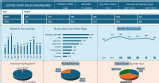
Retail dataset analysis using the concepts learned throughout the course.
10. MCQ Assessment
Offline assessment to reinforce conceptual understanding.
11. Project Assignment
Offline practical assignment based on a real-world business dataset.
Ideal for: College students, beginners, commerce and management students, and anyone looking to build a strong foundation in MS Excel.
This course provides the foundation required for further learning in Intermediate and Advanced Excel.





 View this Course

 Top Tutor







 Certified




