



 You have successfully registered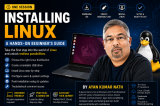

 Certified
About this Class
Ready to install Linux on your computer but not sure where to start? This hands-on session will guide you through the complete Linux installation process, helping you set up your own Linux environment safely and confidently.
Whether you're a student, developer, IT professional, or technology enthusiast, learning how to install Linux is the first step toward exploring Cloud Computing, DevOps, Cybersecurity, and System Administration.
What You'll Learn
• Understand the different Linux distributions (Ubuntu, Fedora, Debian, Linux Mint, and more)
• Choose the right Linux distribution for your needs
• Download and verify Linux installation media
• Create a bootable USB drive
• Understand BIOS/UEFI and boot options
• Install Linux on a physical machine or virtual machine
• Configure users, passwords, and basic system settings
• Learn disk partitioning basics and storage options
• Perform essential post-installation tasks and updates
• Troubleshoot common installation issues
Who Should Attend?
• Complete beginners to Linux
• Students interested in IT and software development
• Aspiring cloud, DevOps, and cybersecurity professionals
• Anyone looking to move from Windows or macOS to Linux
Requirements
Bring a laptop or desktop computer with internet access. No prior Linux experience is required. By the end of the session, you'll have a working Linux installation and the confidence to start exploring the Linux ecosystem on your own.


 View this Course



 Certified



