



 You have successfully registered


A Practical 2-Week Intensive for Video Creators, Freelancers & Content Marketers
Course Overview
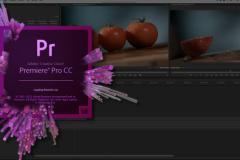
| Course Title | How to Master Adobe Premiere Pro with AI in 2026 |
| Duration | 2 Weeks | 10 Sessions | ~30 Hours Total |
| Level | Beginner–Intermediate (no prior editing experience needed) |
| Format | Live Online / Recorded — Urbanpro Platform |
| Tools Required | Adobe Premiere Pro 2026, Adobe Firefly, Internet Connection |
| Ideal For | Content Creators, YouTubers, Reels Editors, Freelancers, Marketers |
| Certificate | Urbanpro Certificate of Completion upon finishing Capstone project |
What You'll Learn
By the end of this course, you will be able to:
- Edit professional videos using Adobe Premiere Pro 2026's AI-powered tools
- Generate AI B-roll, voiceovers, and captions automatically
- Color grade footage using AI-matched color correction
- Remove backgrounds, key green screen, and composite AI scenes
- Dub and translate your videos into multiple languages with AI
- Automate repetitive editing tasks using AI plugins and batch workflows
- Export platform-optimized videos for YouTube, Instagram, and LinkedIn
AI TOOLS COVERED IN THIS COURSE
Tool / Feature
What It Does
Used In
Adobe Firefly Video
Generate AI B-roll from text prompts
Day 5, Day 7
Adobe Sensei Auto-Reframe
Intelligently reframe for any aspect ratio
Day 2
Enhance Speech (AI Audio Fix)
Clean noisy audio with one click
Day 3
Speech to Text (Captions)
Auto-generate and translate subtitles
Day 3, Day 9
Roto Brush 3.0
AI background removal without green screen
Day 7
AI Color Match (Lumetri)
Match color across clips automatically
Day 4
Adobe AI Dubbing
Translate & lip-sync voiceovers
Day 9
Scene Edit Detection
Auto-cut imported footage by scene
Day 2
Generative Extend
Fill missing frames with AI-generated content
Day 5
Beat Sync / Auto-Cut
Sync edits rhythmically to music
Day 8



 View this Course
 Top Tutor


 Teaching Method

 Certified




