


 You have successfully registered

Who is this class for?
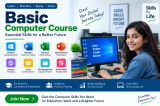
This class is designed for beginners, school and college students, graduates, job seekers, homemakers, senior learners, and working professionals who want to develop essential computer skills. It is especially suitable for learners who have little or no previous experience using computers and want practical knowledge for education, office work, employment, and everyday digital activities.
What will students learn in this class?
Students will learn essential computer concepts through structured lessons and hands-on practice. Topics include computer fundamentals, hardware and software basics, Windows operating system, desktop and settings, file and folder management, typing and document creation, MS Word, MS Excel, and MS PowerPoint. The course also covers internet browsing, email, online services, downloading and uploading files, basic digital safety, and fundamental computer troubleshooting. Practical exercises will help students improve their confidence and productivity.
Is there anything students need to bring to the class?
Students are encouraged to bring a notebook and pen for taking notes and recording important instructions. A personal laptop is optional because practical computer systems can be used during the training. Students may also bring a USB flash drive when they need to practice file transfer and storage activities.
Are there any prerequisites for this class?
No previous computer experience or technical qualification is required. The course starts with basic computer concepts and gradually introduces practical applications. Basic reading and writing skills are sufficient. Students should have an interest in learning computer skills and be willing to practice regularly during and after the class.



 View this Course

 Top Tutor





 Certified




