


 You have successfully registered

Who is this class for?
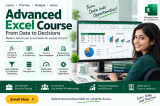
This Advanced Excel class is designed for students, graduates, job seekers, accountants, office executives, business professionals, and anyone who wants to improve their Excel skills. It is particularly useful for learners who want to work efficiently with large datasets, prepare professional reports, perform data analysis, and improve their productivity in academic or workplace environments.
What will students learn in this class?
Students will learn advanced Microsoft Excel concepts through structured lessons and practical exercises. The course covers advanced formulas and functions, logical and lookup functions, text and date functions, conditional formatting, data validation, sorting and filtering, PivotTables, PivotCharts, charts, data analysis, dashboards, and professional report preparation. Students will also work with practical business-oriented examples to understand how Excel can be used for accounting, reporting, data management, and decision-making.
Is there anything students need to bring to the class?
Students are encouraged to bring a laptop with Microsoft Excel installed for hands-on practice. A notebook and pen may also be useful for recording formulas, shortcuts, important concepts, and practical examples. Students may optionally bring sample Excel files or datasets they want to practice with during the training.
Are there any prerequisites for this class?
Basic knowledge of computers is recommended. Students should be familiar with entering data. Learners who are comfortable with basic Excel can gradually develop professional-level spreadsheet, reporting, and data-analysis skills through this course.




 View this Course

 Top Tutor







 Certified




