



 You have successfully registered
This Adobe Photoshop class is designed for beginners, students, and anyone interested in photo editing and graphic design. No previous Photoshop experience is required, making it easy for anyone to get started. Students will learn how to use Photoshop tools and features through simple, practical exercises.
The class covers the Photoshop workspace, layers, selections, cropping, resizing, brushes, text, shapes, filters, color correction, and photo retouching. Students will also learn how to remove unwanted objects, improve image quality, create creative effects, and design professional-looking graphics.
By the end of the class, students will have the confidence to edit photographs and create posters, banners, social media posts, and other digital designs. Students should bring a laptop or computer with Adobe Photoshop installed. Basic computer knowledge is helpful, but there are no specific prerequisites. The course focuses on practical learning and allows students to develop useful Photoshop skills through guided projects and exercises.

 View this Course
 Top Tutor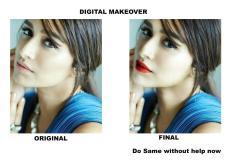

 Certified



